


Nova Launcher Prime
4.142.87K Reviews
App Specs
- Version
- Varies with Device
- Updated On
- License
- $3.99
- Downloads
- 5,000,000+
- Developer
- Instabridge Sweden AB
- Categories
- Personalization
- Platform
- Android
Screenshots
 Analysis by AppCompare
Hey there, fellow app enthusiast! So, the other day I decided to dive into the world of Android customization and stumbled upon Nova Launcher Prime. If you're someone who loves tweaking and personalizing your phone's interface until it feels just right, then stick around because I’ve got some thoughts to share.
Why Nova Launcher Prime?
Let’s chat about why I even considered Nova Launcher Prime in the first place. Simply put, it’s like giving your Android a fresh wardrobe. Sure, the stock launcher is comfy and reliable, but sometimes you just want to spice things up, right? Nova Launcher Prime offers a plethora of customization options that let you tailor your home screen exactly how you want it.
Features Galore
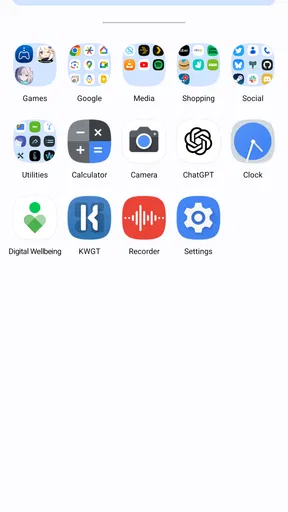
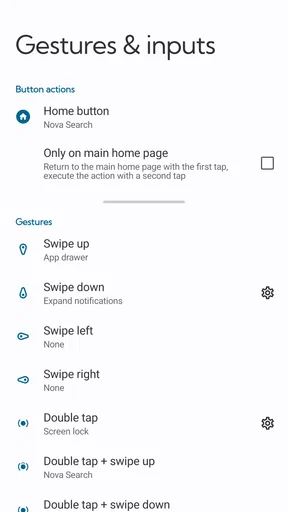
Alright, let’s dive into the juicy bits. One of the standout features is the gesture controls. Swipe, pinch, double-tap – you name it, Nova’s got it. It’s super intuitive and makes navigating through your phone a breeze.
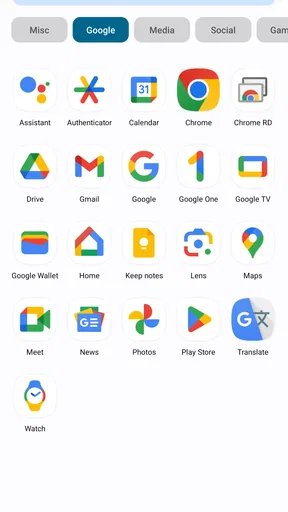
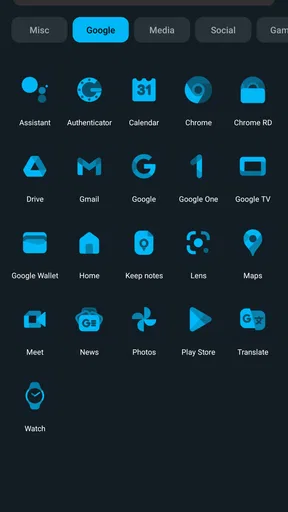
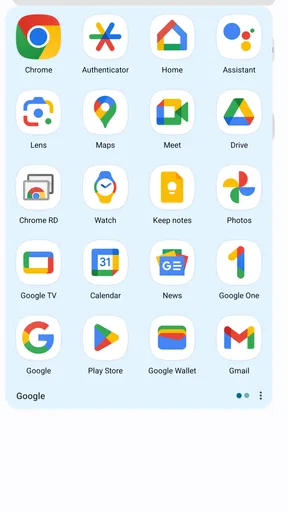
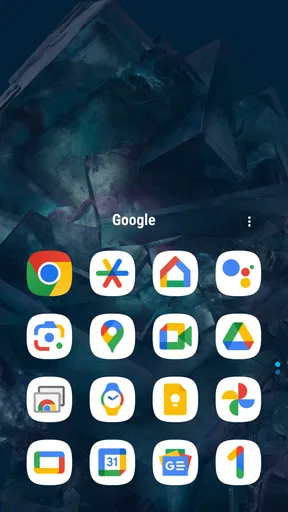
Then there’s the app drawer. You can customize it with tabs, folders, and even set custom icons. Speaking of icons, the launcher supports thousands of icon packs available on the Play Store, so you can switch things up whenever you fancy.
Another cool feature is the ability to hide apps. We've all got those apps we need but don’t necessarily want cluttering up our home screen. Nova lets you tuck them away neatly without uninstalling.
Performance and Usability
Now, you might be wondering about performance. I’ve used launchers before that turned my sleek phone into a laggy mess, but Nova is surprisingly light. It runs smoothly, even on older devices, which is a huge plus in my book.
The setup process is straightforward. Once you install it, Nova walks you through the initial setup, and before you know it, you’re off customizing. The interface is user-friendly, and even if you’re not particularly tech-savvy, you’ll find your way around easily.
Worth Reading Before You Choose

EA SPORTS FC Mobile 26 Is a Bigger Football Game, but It Takes Time

Flipboard Shows What News Apps Must Do Beyond the Feed

Switching to Android Auto Means Rethinking Your Driving Routine

Google Calendar Makes a Crowded Week Easier to Manage

Ludo King Makes the Most of the Minutes Between Plans

Baby Panda World Brings Quick Play to Modern Phones, but Its Game Library Feels Busy
Prime Perks
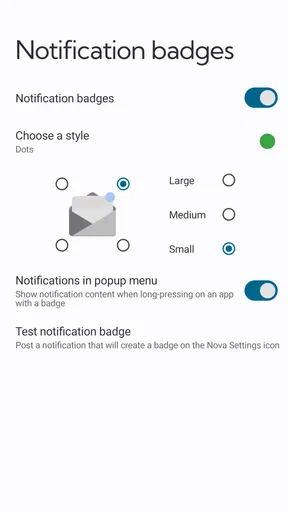
So, what’s the deal with the "Prime" version? Well, it unlocks a bunch of extra goodies like additional gestures, unread counts for apps, and custom drawer groups. It’s a one-time purchase and, honestly, worth every penny if you’re serious about customization.
Final Thoughts
In conclusion, if you’re on the fence about switching from your default launcher, give Nova Launcher Prime a try. It’s a game-changer for personalization lovers. Whether you want a minimalistic look or a feature-rich home screen, Nova’s got you covered.
So, are you ready to transform your Android experience? Go ahead and download Nova Launcher Prime, and let me know how you like it!
Pros
- Highly customizable interface.
- Smooth and fast performance.
- Gestures enhance usability.
- Frequent updates and support.
- Backup and restore feature.
Cons
- Some features locked behind paywall.
- Occasional widget compatibility issues.
- Overwhelming options for new users.
- No free trial for Prime features.
- Limited icon pack support.
FAQs for Nova Launcher Prime
What features does Nova Launcher Prime offer compared to the free version?
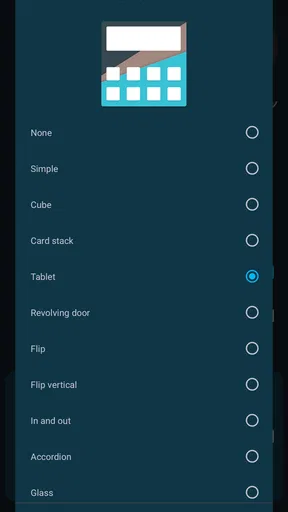
Nova Launcher Prime unlocks several advanced features not available in the free version. These include custom gestures, the ability to hide apps, and an enhanced scroll effect. Additionally, Prime offers more extensive icon swipe actions and advanced folder and drawer customization, making it a versatile tool for personalizing your Android experience.
Is Nova Launcher Prime easy to use for beginners?
Yes, Nova Launcher Prime is designed with user-friendliness in mind. While it offers a wide array of customization options, its interface is intuitive and easy to navigate. Beginners can start with basic customization and gradually explore more advanced features as they become more comfortable with the launcher.
Does Nova Launcher Prime impact device performance?
Nova Launcher Prime is optimized for performance, ensuring minimal impact on your device's speed and battery life. It is lightweight and designed to enhance rather than hinder your device's performance, allowing for smooth operation even on older devices. Users often report improved responsiveness and efficiency.
Can I revert to my original launcher after trying Nova Launcher Prime?
Yes, reverting to your original launcher is simple. Nova Launcher Prime does not alter your device's core settings. To switch back, you can go to your device's settings under 'Apps' and select your previous launcher as the default. Your original settings will remain intact, allowing easy transitions.
Is Nova Launcher Prime secure and privacy-focused?
Nova Launcher Prime is designed with user privacy in mind and does not collect unnecessary data. It requires only essential permissions to function effectively and does not intrusively monitor or share your information, making it a secure choice for users concerned about privacy.


